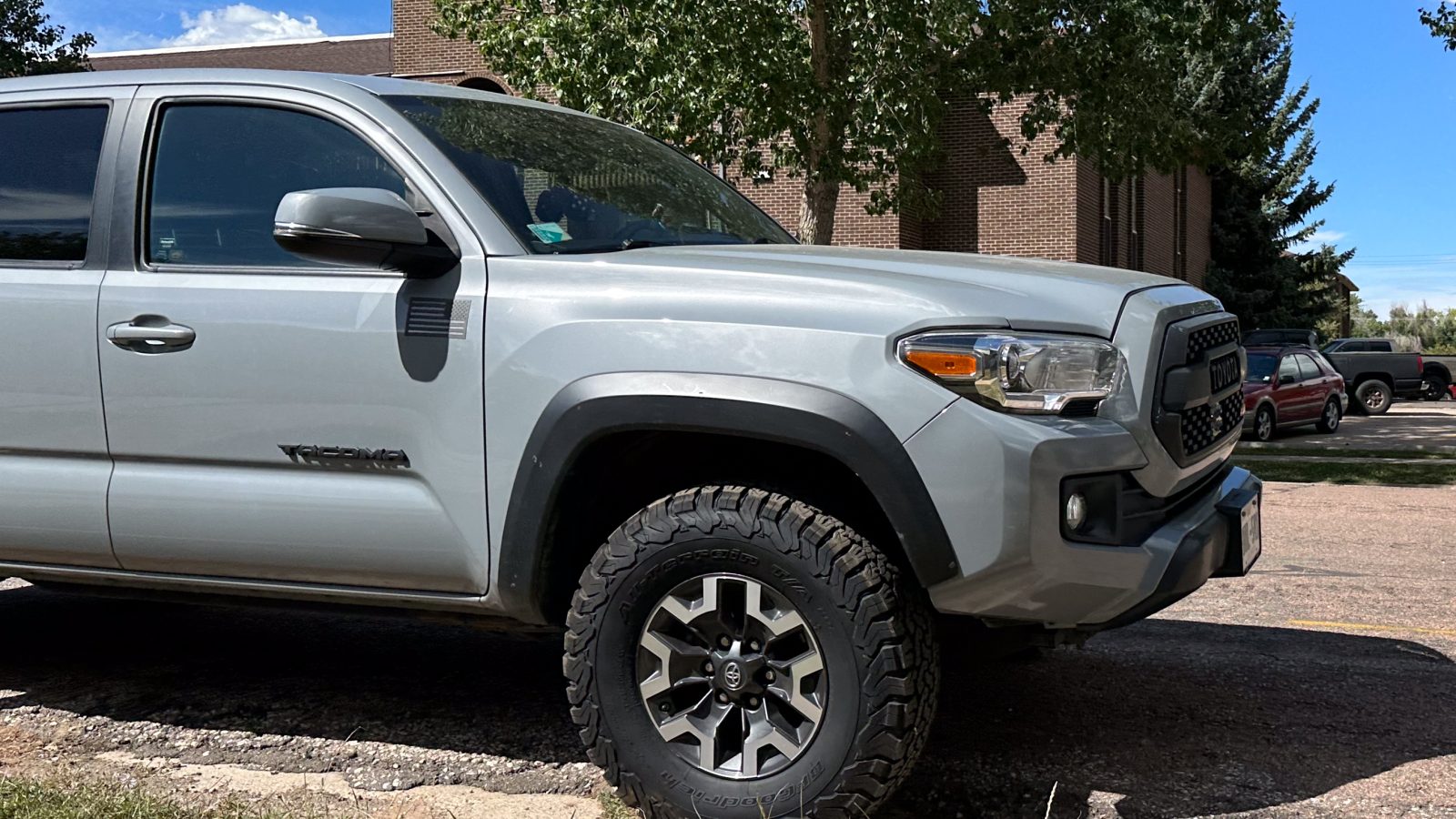
On a Toyota Tacoma built through 2015, you reset the MAINT REQD light with the key and the trip meter button: turn the ignition to ON with the odometer displayed, turn it back OFF, then press and hold the trip reset button while turning the key to ON again. Hold until the display runs through dashes and lands on zeros. On 2016 and newer trucks there is no button trick — the reset is a menu item inside the instrument cluster display.
That is the whole answer, and most guides stop there. Here is the part they skip: the MAINT REQD light is not an oil life monitor. It is a plain mileage counter tied to Toyota’s 5,000-mile service interval, and it knows nothing about your oil, your engine, or how you drive. Toyota’s own maintenance guide instructs owners to reset the reminder “after maintenance at every 5,000 miles” — while on the 2024 schedule the engine oil and filter are not due until 10,000 (2024 Tacoma Warranty & Maintenance Guide, pp. 38, 43). Reset it without knowing what it was asking for and you can skip a tire rotation and a brake inspection you actually needed.
Key Takeaways
- 1995–2015 Tacomas: hold the trip reset button while turning the key from OFF to ON. Watch for dashes, then zeros.
- 2016–2023 Tacomas: steering wheel arrows to Settings, then Vehicle Settings, then Maintenance Reset.
- 2024+ Tacomas track two separate reminders. Read the message on the display first, then reset the one it names.
- The light is a 5,000-mile service reminder, not an oil alert. In Toyota’s 2024 Tacoma schedule the oil change lands at 10,000 miles and the 5,000-mile stop is tires, fluids, and brakes — older model years differ, so confirm yours in the manual.
- Do the service first. Resetting early doesn’t skip the work — it just moves every future reminder to the wrong mileage.
What Does the MAINT REQD Light Actually Mean?
MAINT REQD is a mileage counter, not a diagnosis. It counts miles since the last reset, and at a preset number it turns on. Nothing is wrong with the truck. Nothing gets logged. There is no code to scan.
Tacoma owners commonly report that the reminder flashes briefly at startup for a stretch before it settles on solid, which reads as advance notice rather than a fault. Behavior varies by cluster and model year, so treat a light that stays solid as the reliable signal that you have reached the interval.
The distinction that matters most is this one:
| MAINT REQD | Check Engine | |
|---|---|---|
| What it is | Mileage-based service reminder | Stored diagnostic fault |
| Icon | Wrench, or the words MAINT REQD | Engine outline |
| Urgency | Routine — schedule it | Get it diagnosed |
| How to clear | Trip button or display menu | Fix the fault, then clear with an OBD-II scanner |
A button sequence will never clear a check engine light. If you ran the reset and an engine-shaped icon is still lit, you were looking at the wrong light — that one needs a scan tool and an actual repair, and our collision and structural repair services page covers what a full diagnostic inspection includes.
Why the Light Isn’t an Oil Change Alert
The reminder interval and your oil interval are two separate numbers, and conflating them is the most expensive mistake in this whole article.
Toyota recommends scheduled maintenance “every 5,000 miles or six months, whichever comes first,” and its maintenance log spells out what each stop covers. At 5,000 miles or 6 months the Tacoma gets a tire rotation, a fluid-level inspection, wiper blades, and a visual brake inspection — with no engine oil change listed. At 10,000 miles or 12 months that same list repeats and adds “replace engine oil and oil filter” (2024 Tacoma Warranty & Maintenance Guide, pp. 35, 38).
The guide is explicit about what the light is for. Footnote 2 of the maintenance log tells owners to “reset the oil replacement reminder light (‘MAINT REQD’) or the message ‘OIL MAINTENANCE REQUIRED’ on the multi-information display after maintenance at every 5,000 miles” (2024 Tacoma Warranty & Maintenance Guide, p. 43). The reminder is pegged to the 5,000-mile service visit. It is not measuring your oil.
Do not read a viscosity or an oil interval off this article. Toyota does not print one in the maintenance guide either — under “Engine Oil Selection” it says only: “Please refer to your Owner’s Manual for the specific oil viscosity rating recommended for your vehicle/engine type” (2024 Tacoma Warranty & Maintenance Guide, p. 36). Tacoma oil specifications differ across engines and model years, so the grade and interval that apply to your truck come from your manual, not from a generation-wide rule of thumb.
Severe use tightens the schedule. Toyota’s log adds “replace engine oil and oil filter” to the 5,000-mile service for trucks driven mainly on dirt or dusty roads, and lists further items for towing, car-top carriers, and heavy loading (2024 Tacoma Warranty & Maintenance Guide, p. 38). Those extras apply only if the majority of your driving is done under those conditions. San Diego drivers running weekend dirt, or towing regularly, should be reading the special-operating-conditions column rather than the normal one.
The practical rule: look up your engine’s grade and interval in your owner’s manual, which Toyota publishes by model year through the Toyota Owners portal. Then treat the light as what it is — a prompt to go look, not an instruction to change oil.
Which Reset Method Does Your Tacoma Use?
The procedure depends on which instrument cluster your truck has, and that tracks with generation.
If you are not sure which generation you have, the model year on your registration places it. Our guide to what a California vehicle registration card looks like shows where that year is printed.
How to Reset the Maintenance Light on a 1995–2015 Tacoma
By the end of this the odometer should return to normal with the MAINT REQD text gone.
- Turn the ignition to ON without starting the engine. On a push-button truck, press start twice with your foot off the brake.
- Set the display to the total odometer (ODO), not Trip A or Trip B. Use the stalk or button on the cluster face to cycle it.
- Turn the ignition completely OFF.
- Press and hold the trip reset button. Keep holding — do not release for the next step.
- While still holding, turn the ignition back to ON. Engine off.
- Keep holding for roughly 10 to 15 seconds. The display runs a row of dashes, then zeros.
- Release the button once the zeros clear and the odometer reappears.
If nothing happens on a 2012–2015 truck, run it again with the display on Trip A instead of ODO. Toyota changed which display mode arms the reset partway through the second generation, and a guide covering all four generations flags this as a frequent reason the sequence fails on those model years (FLEX Automotive, retrieved July 2026). Trying both modes costs thirty seconds. Your model year’s manual on the Toyota Owners portal confirms which one your cluster expects.
How to Reset the Maintenance Light on a 2016–2023 Tacoma
Third-generation trucks moved the reset into the multi-information display between the gauges. There is no button-holding (FLEX Automotive, retrieved July 2026).
- Turn the ignition to ON, engine off. Push-button trucks: press start twice, foot off the brake.
- Use the arrow buttons on the right side of the steering wheel to scroll the display to the gear or cog icon — that is Settings.
- Select Vehicle Settings.
- Scroll to Maintenance Reset and press the center button.
- Confirm Yes when it asks whether to reset.
- The display confirms with a reset-complete message and the wrench icon disappears.
If the arrows only cycle through trip data and never reach a cog, you are in the trip menu rather than the main menu. Press and hold the back or display button for a couple of seconds to move the cursor up first.
How to Reset the Maintenance Light on a 2024–2026 Tacoma
Fourth-generation Tacomas are the ones owners get stuck on, because the truck tracks two independent reminders: a Scheduled Maintenance counter and a separate Oil Maintenance counter. Reset one and the other keeps running, so a message can reappear immediately (FLEX Automotive, retrieved July 2026).
- Press the start button twice without touching the brake. Ignition on, engine off.
- Read the message currently on the display and note its exact wording. This step decides whether the rest works.
- Press and hold the Back button on the steering wheel meter controls to activate the cursor, then use the left/right arrows to reach Settings and press OK.
- Select Vehicle Settings.
- Choose the entry that matches what your display said — either Scheduled Maintenance or Oil Maintenance. Do not guess.
- Answer Yes to “Reset Data?” The display returns “Reset Complete.”
- If a second reminder appears afterward, repeat from step 3 and reset the other counter.
Toyota’s maintenance guide names both forms of the reminder — the “MAINT REQD” light and the “OIL MAINTENANCE REQUIRED” message on the multi-information display — and instructs owners to reset them after maintenance at every 5,000 miles (2024 Tacoma Warranty & Maintenance Guide, p. 43). Both counters are documented by model year through the Toyota Owners portal. If a reminder is still showing after a dealer visit, checking the second counter is the first thing worth ruling out.
Do the Service Before You Reset — Not After
Resetting the light is bookkeeping. It changes a counter and nothing else.
The failure mode is quiet and cumulative. Reset at 3,000 miles because the reminder annoyed you, and the truck now believes its service clock started 2,000 miles late. Every future reminder inherits that offset. Two or three cycles in, the light is reporting a number with no relationship to when your tires were last rotated or your oil last changed.
Keeping your own record also protects resale value, in the same way the paperwork covered in our California vehicle registration guide does. Write down the odometer reading each time you reset. That single habit makes the light trustworthy again even if it has drifted, and it is the same record a buyer or a shop will ask for later.
The 5,000-mile inspection the light prompts is also where steering and suspension wear gets caught early — play in a tie rod or a ball joint is visible on a lift long before you feel it in the wheel. If yours has been skipped for a while, our breakdown of what a tie rod replacement actually costs covers that repair and why an alignment goes with it. Tire rotation matters for the same reason: uneven wear across your truck’s two axles is often the first visible symptom of an alignment or suspension problem.
What to Do If the Reset Doesn’t Work
Work through these in order before assuming something is broken.
- Wrong display mode. ODO versus Trip A is a frequent cause on 2005–2015 trucks. Run the procedure again on the other mode.
- The engine started. On push-button trucks, any contact with the brake pedal during the double press cranks the engine and voids the sequence. Foot completely off the pedal.
- You released the button too early. The dashes-to-zeros sequence takes a full 10 to 15 seconds on older clusters. Hold through all of it.
- A door, hood, or tailgate is open. Close everything, including the tailgate, and try again — it costs nothing to rule out.
- You are looking at the check engine light. An engine-shaped icon is a fault code. No button sequence clears it.
- Two reminders on a 2024+ truck. Reset the second counter as well.
Skip the battery-disconnect trick. It gets suggested constantly and it is a poor trade on a modern Tacoma. Repair guides covering the Tacoma report that the reminder often survives a disconnect on third- and fourth-generation trucks anyway, while you still lose radio presets, the clock, and stored engine and transmission adaptations — which can leave the truck driving oddly for a few days as it relearns. On trucks with calibrated driver-assist sensors, that is a poor trade for a reminder you can clear from the driver’s seat (FLEX Automotive, retrieved July 2026).
If you have run every procedure for your model year and the light will not clear, a Toyota service department can reset it through the diagnostic port. That is worth a short appointment rather than another hour in the driveway.
Frequently Asked Questions
Does the maintenance required light mean I need an oil change?
Not necessarily. In Toyota’s 2024 Tacoma maintenance log the 5,000-mile service is a tire rotation, fluid inspection, wiper check, and visual brake inspection, with engine oil and filter first appearing at 10,000 miles (2024 Tacoma Warranty & Maintenance Guide, p. 38). The light is tied to that 5,000-mile visit, not to your oil. Dirt and dusty-road use adds an oil change at 5,000, and the correct viscosity for your engine comes from your owner’s manual — Toyota declines to generalize it.
Why is my Tacoma’s maintenance light blinking instead of staying on?
Blinking at startup that stops after a few seconds is widely reported by owners as advance notice rather than a fault. This behavior is not documented uniformly across model years, so the dependable signal is a light that stays solid — that means you have reached the service interval.
Can I reset the maintenance light without doing the maintenance?
Mechanically, yes — the reset is just a counter. But it desynchronizes your service schedule permanently unless you track the odometer yourself, and every later reminder will be off by the same amount. If you do reset early, write down the mileage so you can correct the next interval.
How much does a Tacoma 5,000-mile service cost?
It varies by shop and region, and a new Tacoma may owe nothing: ToyotaCare covers scheduled maintenance for 2 years or 25,000 miles, including the 5K, 10K, 15K, 20K, and 25K visits (Coggin Toyota, retrieved July 2026). On engines running a 10,000-mile oil interval, the oil change falls at the 10,000-mile visit rather than the 5,000.
Is MAINT REQD the same as the wrench icon?
Yes — the same reminder shown two ways. Older Tacomas spell out “MAINT REQD” in the cluster; newer ones show a wrench symbol with a message in the multi-information display. Both clear with the procedure for your generation. The engine-shaped icon is a different light entirely.
Do I need a scan tool to reset the maintenance light?
No. Every Tacoma generation can be reset from the driver’s seat with the key, the trip button, or the display menu. A scan tool is only needed for check engine codes, or as a last resort if the built-in reset genuinely will not take.
The Bottom Line
Match the method to your generation and this is a two-minute job. Trip button and key for 1995–2015, display menu for 2016–2023, the same menu plus a second counter for 2024 and newer. When it fails, it is almost always the display mode, the brake pedal, or the wrong light.
The more useful takeaway is what the light is asking for. It means 5,000 miles have passed and your tires, brakes, and fluids are due for a look — not that your oil is finished. Confirm your engine’s actual oil interval in the manual, do the work, then reset, and write down the odometer.
If that inspection turns up steering, suspension, or body damage — or if a pothole or a collision is what sent you looking under the truck — contact San Diego Bumper and Collision for an inspection and estimate.
About the author. Marcus Alvarez writes about vehicle repair, maintenance, and collision work for San Diego Bumper and Collision Repair Shop.
Image credit. Cover photo: “Toyota Tacoma Pickup Truck” by Tony Webster, via Wikimedia Commons, licensed under CC BY 2.0. Diagrams produced by San Diego Bumper and Collision.
A note on procedures. Reset sequences vary with trim, cluster, and model year. Where this guide and your owner’s manual disagree, follow the manual — Toyota publishes them by model year through the Toyota Owners portal.